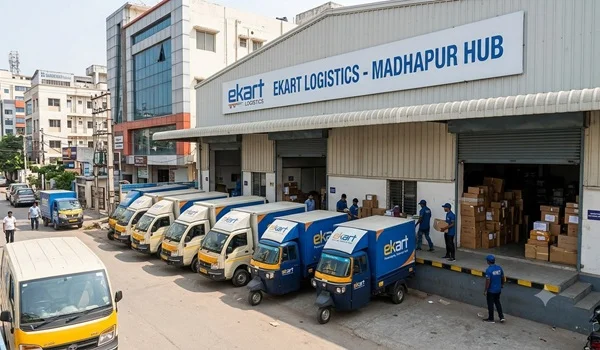
Ekart Logistics is an Indian logistics and supply chain company associated with Flipkart. It handles deliveries, parcel transportation, returns and e-commerce fulfilment for businesses and online shopping platforms.
Customers may need Ekart customer care for delayed deliveries, incorrect tracking updates, failed delivery attempts, missing parcels, damaged products or pickup problems. The correct support channel depends on whether the shipment was booked directly through Ekart or ordered through Flipkart or another shopping platform.
Ekart Logistics Customer Care: Quick Information

| Particular | Details |
| Company Name | Ekart Logistics |
| Associated Company | Flipkart |
| Main Services | Parcel delivery, e-commerce logistics and returns |
| Customer Support Email | support@ekart.com |
| Flipkart Order Support | Contact Flipkart through its app or account |
| Shipment Tracking | Use the tracking facility and consignment number |
| Registered Office | Bengaluru, Karnataka |
| Business Entity | Instakart Services Private Limited |
Important: I could not confirm a single general-purpose customer-care phone number from the official Ekart information reviewed. Be cautious about phone numbers published on unofficial websites.
How to Contact Ekart Logistics Customer Care
- For Flipkart Orders
If your order was placed on Flipkart, open the Flipkart app and go to your orders. Select the relevant order and use the available Help Centre or customer-support options.
You can raise a complaint about:
- Late delivery
- Incorrect delivery status
- A parcel marked delivered but not received
- Return pickup delays
- Refund-related questions
- Damaged or incorrect products
For order-related refunds, cancellations and returns, Flipkart is generally the appropriate first point of contact.
- For Shipment Tracking
Keep your tracking ID, shipment number or consignment number ready. Use the official Ekart tracking facility, where available, to check the shipment’s status.
If the tracking information has not changed for several days, contact the seller or the platform where you placed the order and request an investigation.
- For Direct Shipping or Business Accounts
Businesses using Ekart for shipping should use their account’s support or ticket-raising facility. Ekart’s published FAQ indicates that business customers can raise support tickets through its portal.
Provide the shipment number, booking details and a clear description of the issue. The published FAQ indicates a response target of 24 hours for support tickets, although actual response times may vary.
- Customer Support Email
The address support@ekart.com is listed by a third-party customer-care directory. I could not independently verify it as the current official general customer-support email.
If you use it, include your shipment number, registered contact details and a concise description of the issue. Do not send passwords, OTPs, complete payment-card details or other sensitive authentication information.
Ekart Logistics Head Office Address
The company’s published corporate information identifies its registered office in Bengaluru.
Address:
Instakart Services Private Limited
Buildings Alyssa, Begonia and Clover
Embassy Tech Village, Outer Ring Road
Devarabeesanahalli Village
Bengaluru, Karnataka 560103, India
This is a corporate registered-office address, not necessarily a parcel collection centre or local customer-service office.
Common Ekart Complaints and Solutions
| Problem | Recommended Action |
| Parcel is delayed | Check tracking and raise a complaint through the seller or shopping platform |
| Status says delivered, but parcel is missing | Report the issue immediately and request proof of delivery |
| Delivery agent did not arrive | Report the failed delivery attempt through the order’s support section |
| Return pickup is delayed | Check the return request status and contact the shopping platform |
| Tracking has stopped updating | Share the tracking number with customer support and request an investigation |
| Wrong or damaged item received | Preserve the packaging and photographs, then report the issue through the seller or platform |
| Business shipment problem | Raise a ticket through the Ekart business account, where available |
Information to Keep Ready Before Contacting Support
To help customer care investigate your complaint, prepare the following information:
- Order ID or tracking number
- Name and registered mobile number
- Order or shipment date
- Current tracking status
- Description of the problem
- Photographs or other supporting evidence, if relevant
Keep a record of your complaint or ticket number so you can follow up if the problem is not resolved.
Safety Tips When Contacting Ekart Customer Care
Use support options available through the official shopping app or verified company channels. Avoid relying on unverified customer-care numbers found in random search results.
Never share an OTP, UPI PIN, banking password or card PIN with someone claiming to be a delivery agent or customer-care representative. You should not need to pay an unexpected fee through a personal UPI account to receive an ordinary parcel.
Frequently Asked Questions (FAQs)
What is the Ekart Logistics customer-care number?
I could not verify a current general customer-care phone number from Ekart’s official information. For Flipkart orders, use the Flipkart app’s Help Centre. Business shipping customers should use the support facility associated with their Ekart account.
What is the Ekart customer-care email ID?
The email support@ekart.com is listed by a third-party customer-care directory, but its current official status could not be independently confirmed.
How can I complain about a delayed Ekart delivery?
Check your tracking status, then raise a complaint through the shopping platform or the support channel used for booking. Include the order ID and tracking details.
What should I do if Ekart says my parcel was delivered but I did not receive it?
Report the issue promptly through the seller or shopping platform. Ask for proof of delivery and request an investigation.
Can I contact Ekart for a Flipkart refund?
For orders placed on Flipkart, use Flipkart customer support for refund, cancellation and return-related issues. The applicable refund process depends on the order and its status.
How do businesses contact Ekart Logistics?
Businesses using Ekart’s shipping services can raise a support ticket through the relevant shipping portal or account. They should include the shipment number and supporting information.
Conclusion
Ekart Logistics customer-support options depend on the type of shipment and the platform used to place the order. Flipkart customers should generally start with the Flipkart Help Centre, while direct shipping customers should use their available Ekart support channel.
Always verify contact details before sharing personal information, and keep your order ID or tracking number ready when raising a complaint.